For manufacturing SMEs · 5–500 employees · no software installation
Shopfloor management your production team will actually use.
The Shopfloor Management Kit generates your personal SQDC solution in minutes: Excel boards for Safety, Quality, Delivery, Cost and Morale — plus action tracking, safety cross, guide and print templates. Tailored to your machines, shifts and meetings.
- One-time payment
- No subscription
- No hidden costs
Direct purchase · instant download after payment
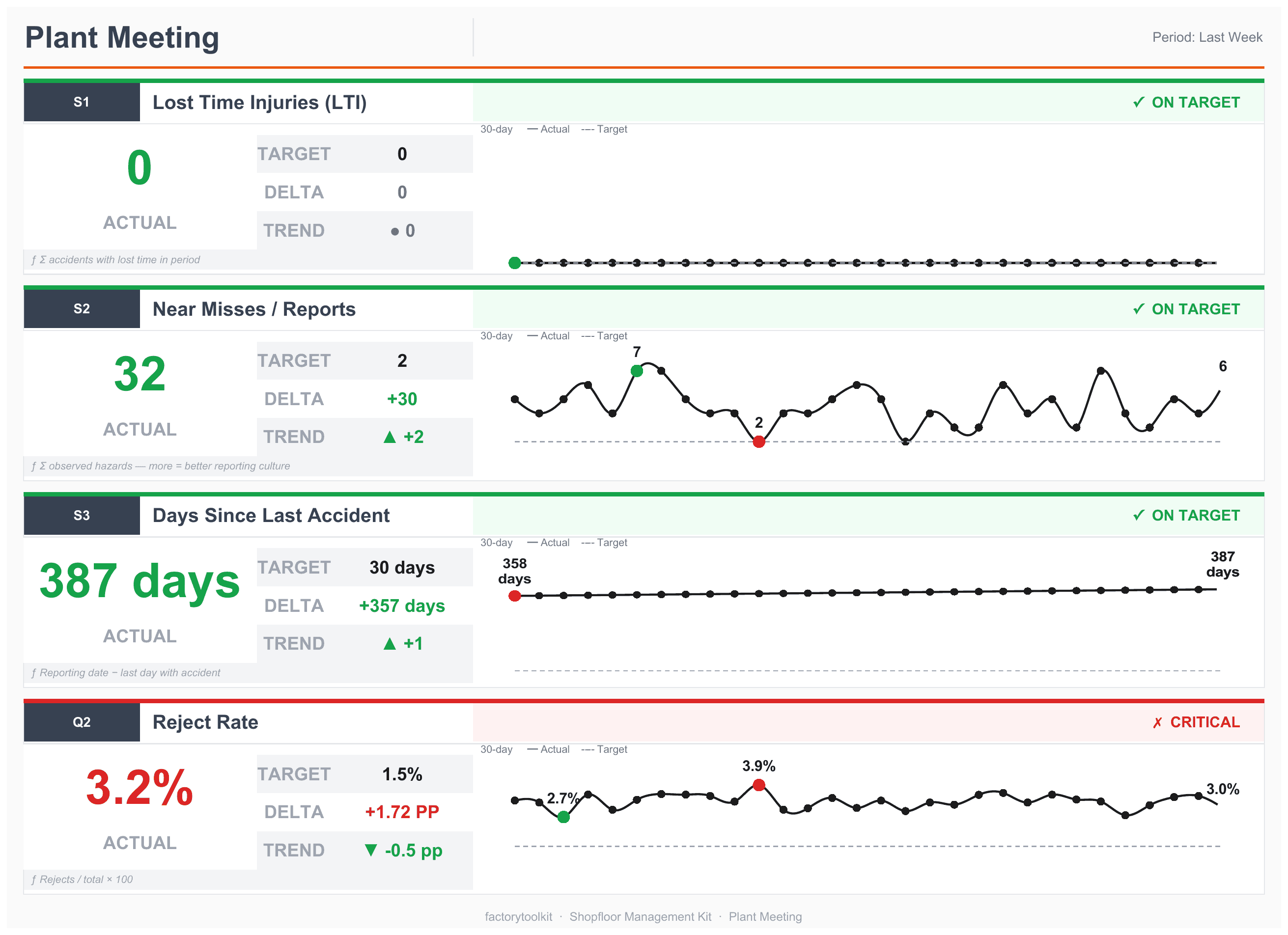
A real generated dashboard (print view from the Excel workbook): traffic lights, target/delta/trend and a 30-day history per KPI — all calculated with plain Excel formulas. All numbers: sample data.
How it works
1. Configure
Answer questions about your operation in about 10 minutes: machines, shifts, shopfloor meetings and the KPIs you want to run.
2. Generate
You receive a ZIP with your personal Excel workbook, action tracking, guide PDF and print templates — with sample data so you can try everything immediately.
3. Get going
Delete the sample data, put up the board, run your first huddle. The guide walks you through the first four weeks to a stable routine.
What is inside?
A complete shopfloor management system — not an empty template.
Excel workbook with SQDC dashboards
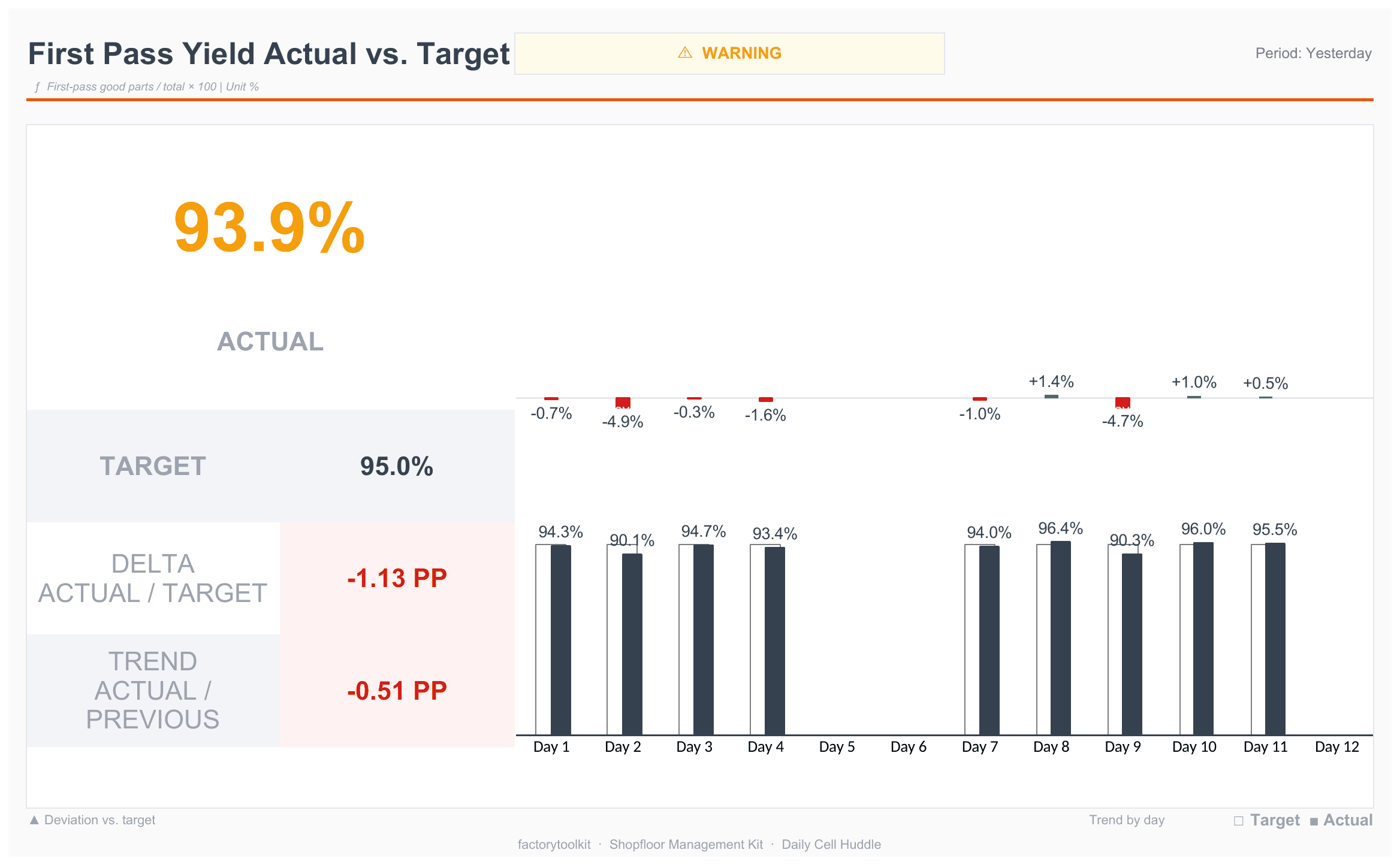
One dashboard per shopfloor meeting: KPI cards with traffic light, target, delta and 30-day trend. Data entry per workplace and area, formulas calculate everything automatically.
Action tracking (PDCA)
A separate workbook for actions from your meetings: owners, deadlines, escalation — with a printable sheet per meeting and automatic red flagging of overdue items.
Safety cross
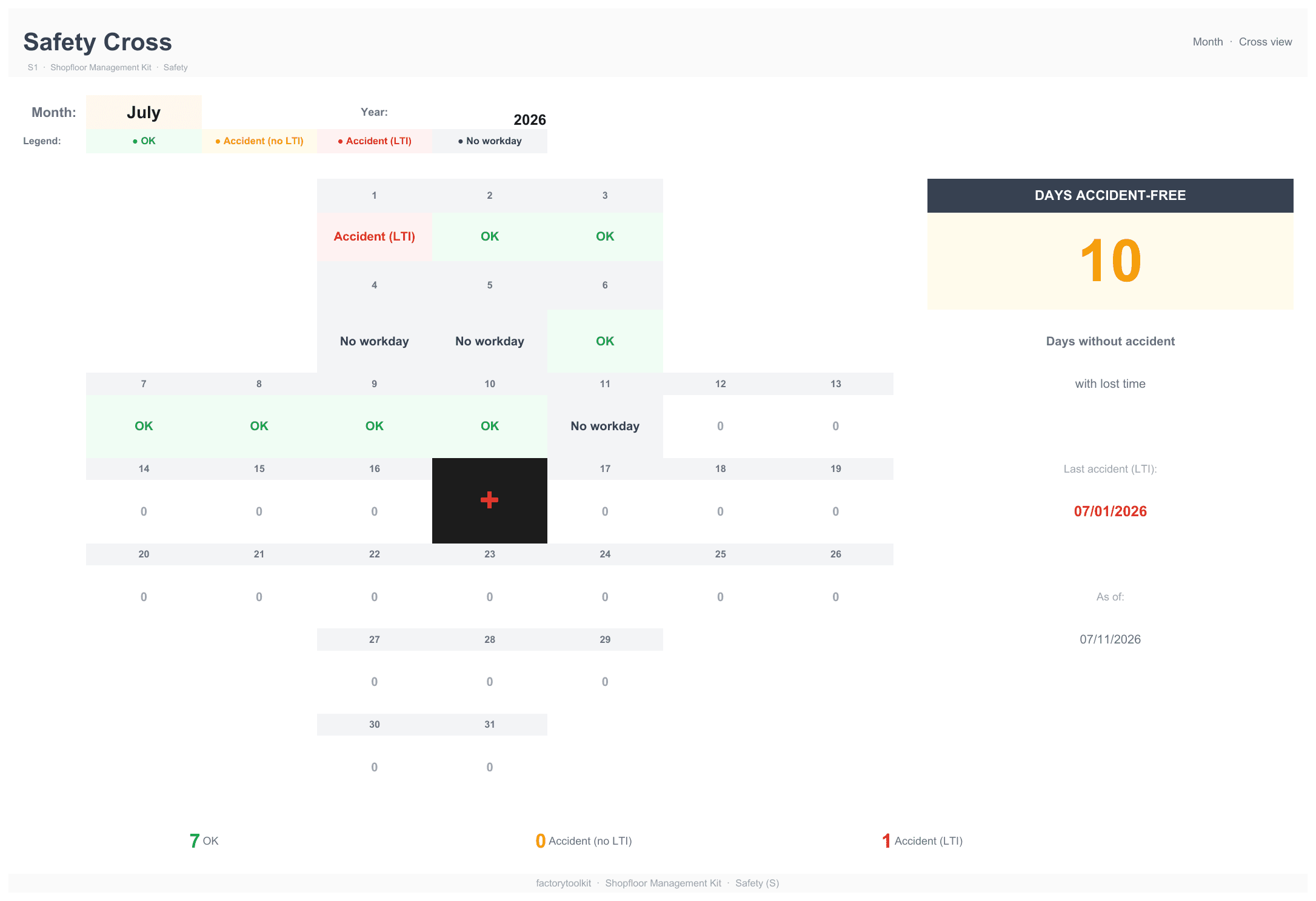
Monthly and annual cross with traffic-light colors and a days-without-accident counter — the shopfloor board classic, ready to print.
Attendance tracking
Team attendance per group with monthly matrix and rate evaluation — privacy-aware: only team-level numbers go on the board.
Personal PDF guide
Around 40 pages, tailored to your configuration: KPI definitions, meeting agenda, and a rollout plan for the first four weeks.
Print & entry templates
Blank boards and paper entry sheets per workplace and area — for operators without PC access, with columns matching the Excel exactly.
Frequently asked questions
Who is the kit for?
Manufacturing companies with roughly 5 to 500 employees — from small shops to plants with several lines. Industries: machining, sheet metal, plastics, wood, food, pharma, printing, textiles, chemicals and more.
Do I need special software?
No. All you need is Microsoft Excel (2016 or newer, or Microsoft 365). Everything runs on plain Excel formulas — no macros, no add-ins, no cloud requirement.
How much daily effort does it take?
Daily data entry typically takes 2–3 minutes per workplace and shift (the configurator shows you a live estimate for your selection). The shopfloor huddle itself is designed for 5–15 minutes — the dashboards calculate everything automatically, nothing is evaluated by hand.
What does the kit cost?
The kit costs €349 incl. tax as a one-time purchase — no subscription, no per-user licenses, no hidden costs. Configuration and preview are free; you only pay for the download. You will see the price again in the configurator before you pay anything.
We already have ERP/MES — does the kit replace it?
No, it complements it: ERP/MES manage orders and bookings, the kit makes deviations visible on the board and drives the daily huddle. Data entry is deliberately simple (Excel or paper entry sheet) — no interface project, no IT approval needed.
The Excel sheets are protected — how can I change something?
Sheet protection is deliberately set WITHOUT a password: it prevents accidentally overwriting formulas while all orange input cells stay editable. To remove it: right-click the sheet tab → "Unprotect Sheet" (or Review → Unprotect Sheet) — no password is requested. Best re-enable it afterwards.
What happens to my data?
Your configuration is processed only to generate your kit and is not stored on our servers. You receive it as config.json inside the ZIP — so you can regenerate an updated kit later.
Can I adapt the kit later?
Yes. New machine, new shift, more KPIs: run the configuration again and regenerate. The guide sheet in the workbook also explains how to make small changes directly in Excel.
German or English?
Both. The entire package — workbooks, guide, templates — is generated in the language you configure in. For US customers including Letter/Tabloid print formats and dollar amounts.